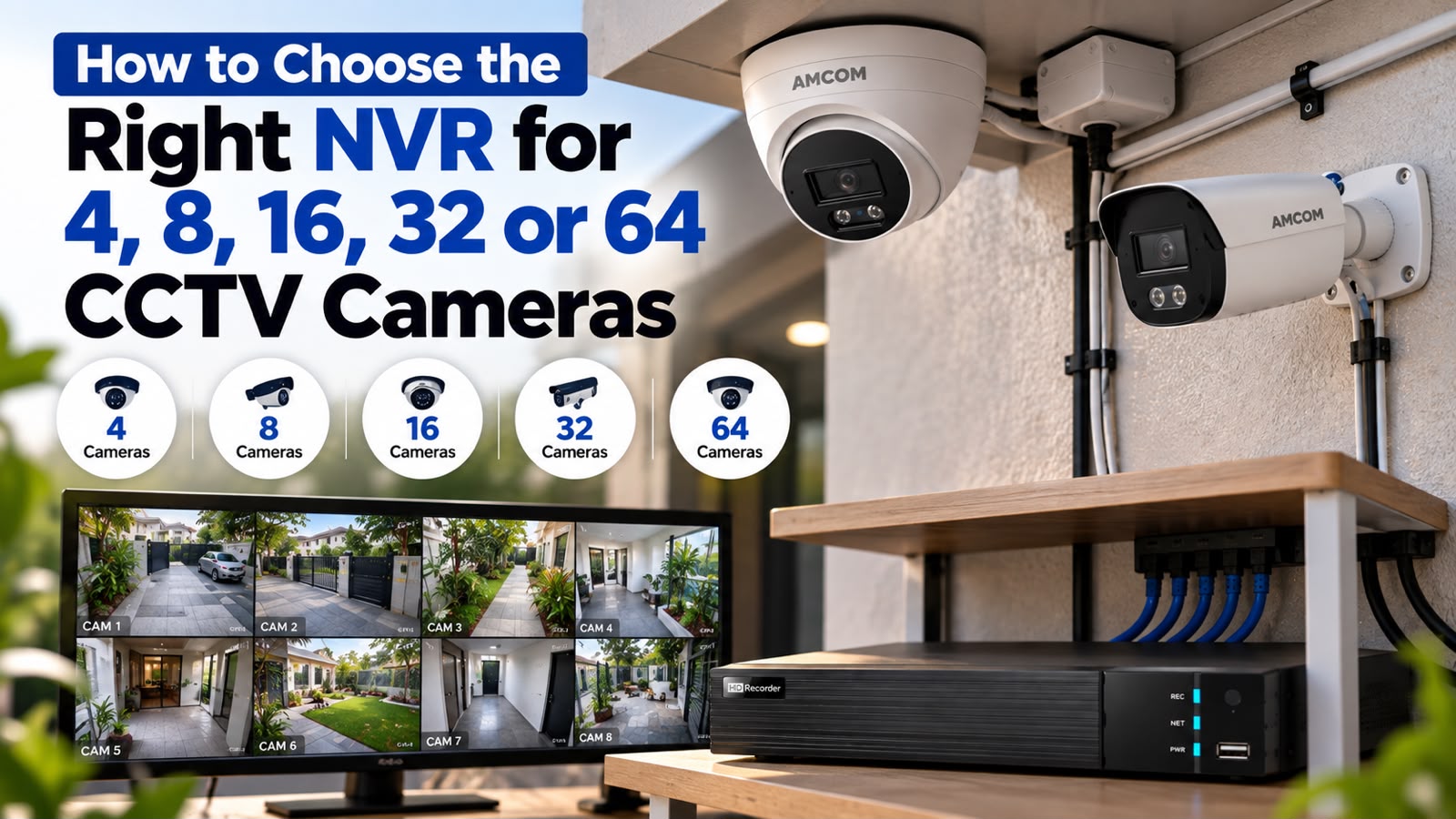
How to Choose the Right NVR for 4, 8, 16, 32 or 64 CCTV Cameras
How to Choose the Right NVR for 4, 8, 16, 32 or 64 CCTV Cameras
A practical NVR buying guide by AMCOM
Picking cameras is the easy part of a CCTV project. The NVR is where most people get stuck — and honestly, it’s the one part of the system that’s genuinely hard to fix once it’s installed. Swap a camera and you lose an afternoon. Undersize an NVR and you’re often looking at a full re-install six months down the line.
So how do you choose an NVR? It comes down to four things: how many cameras you’re running now, how many you’ll probably add later, what resolution those cameras record at, and how long you need to keep the footage. Get those four right and everything else — brand, price, features — falls into place fairly easily.
Think of this as a complete NVR buying guide — a practical CCTV recorder buying guide you can run through as a checklist before you spend a rupee, rather than a spec sheet you need to decode.
This guide walks through that decision one camera-count tier at a time: 4, 8, 16, 32, and 64 channels. By the end, you’ll know which AMCOM NVR fits your setup, and why.
What Does an NVR Actually Do?
An NVR (Network Video Recorder) pulls video over the network from your IP cameras, compresses it, writes it to a hard drive, and lets you pull it back up — live or recorded — from a screen or an app. That’s the short version.
The longer version matters more once you’re buying one. A DVR pulls analog signal over coaxial cable. An NVR works purely over IP, and cameras usually connect either through a network switch or straight into the NVR’s own PoE ports. If you’re comparing the two formats, it’s worth browsing the DVR range alongside NVRs before deciding which fits your building’s existing wiring.
Three numbers decide what an NVR can actually handle: channel count (how many cameras), bandwidth (how much data it can take in at once), and storage (how much footage it can hold). Every buying mistake we see traces back to ignoring one of these three.
Don’t Buy Only for Today’s Camera Count
Here’s a pattern that comes up constantly. A shop owner needs six cameras. They buy an 8-channel NVR — seems sensible, a bit of headroom. Eighteen months later they open a second counter, add a storeroom camera, maybe cover a new entrance. Now there’s no room left. Not just for the cameras either — often the PoE power budget and the storage are maxed out too.
Buying strictly for what you need right now only makes sense if you’re certain the site will never change. For most commercial spaces — retail, offices, warehouses, schools — that’s rarely a safe bet. A simple rule that saves a lot of pain later: buy one tier above your current requirement. Six cameras today? Get a 16-channel unit, not an 8-channel one. The price difference is small. Redoing the whole recording setup later isn’t.
Resolution Changes the Math
Channel count tells you how many cameras an NVR can connect. It doesn’t tell you whether it can actually run them well — that’s a resolution question.
A 2MP camera pushes out a fraction of the data an 8MP camera does. So an NVR rated “32 channels” at 2MP might genuinely struggle if you try running 32 cameras at 8MP — the total bandwidth simply exceeds what the box can process, and some channels will drop resolution or refuse to connect. This is probably the single most common sizing mistake we see: people count cameras and forget to check resolution against it.
Before buying, know two numbers — your camera’s resolution (browse 2MP, 4MP, or 8MP IP cameras to see what you’re working with), and the NVR’s maximum input bandwidth. Higher-resolution cameras need a higher bandwidth ceiling, even when the channel count on the box looks identical.
How Many Channels Do You Actually Need?
Count every camera going in now. Add a realistic buffer for growth. Match that number to the next tier up, not the tier that just barely covers you.
NVR for 4 Cameras
If you only need an NVR for 4 cameras, keep it simple. This tier suits a single shop, a small home, or one floor of a small office where blind spots aren’t a major concern. If you’re genuinely confident you’ll never go past 4–6 cameras at this site, a compact 4/8-channel unit does the job. AMCOM’s AM-C308-A covers this range — a 4/8 channel PoE NVR that takes IP video up to 8MP, with built-in PoE ports so cameras plug straight in without needing a separate switch.
NVR for 8 Cameras
An NVR for 8 cameras is where a lot of small businesses land — retail stores, restaurants, clinics, small offices. Enough to cover the entrance, the counter, the back room, and maybe a parking spot or two. The same AM-C308-A handles this comfortably, so you can start with four cameras and grow into eight without touching the hardware.
NVR for 16 Cameras
An NVR for 16 cameras is the tier most growing businesses eventually hit — multi-room offices, mid-sized retail chains, warehouses, a school building. At this scale you’re usually juggling entrances, internal corridors, storage areas, and some perimeter coverage all at once. AMCOM’s AM-C316-B, a 4/8/16 channel NVR, is built for exactly this — it scales as a business adds cameras instead of forcing a new box at every stage. If you’re covering a campus, our school solution page has more on how this typically gets laid out.
NVR for 32 Cameras
Once you need an NVR for 32 cameras, you’re generally into larger territory — a full retail chain location, a hospital wing, a factory floor, a multi-building campus. Storage and bandwidth planning stop being optional at this point; they become the whole ballgame. The AM-C332-H is AMCOM’s 16/32 channel NVR, built to manage that density along with the larger drive arrays these setups need. This tier comes up a lot in our hospital solution and commercial complex solution deployments.
NVR for 64 Cameras
An NVR for 64 cameras is enterprise-scale — large industrial parks, big commercial complexes, banking networks, or sites where one control room is watching dozens of locations at once. You need real processing power here, multiple drive bays, and usually RAID support, so a single failed drive doesn’t wipe out your footage. AMCOM’s AM-C364-H is built for exactly this kind of high-density deployment, where uptime and storage reliability matter just as much as raw camera count — the same logic that shapes our industrial park solution and bank solution setups.
| Cameras | Recommended NVR | Typical Use | Expansion |
| 4 | 4/8 Channel | Home / small shop | Limited |
| 8 | 8 Channel | Retail / office | Moderate |
| 16 | 16 Channel | Warehouse / school | Good |
| 32 | 32 Channel | Hospital / commercial facility | High |
| 64 | 64 Channel | Industrial / large commercial site | Enterprise |
Storage: Where Most Surprises Happen
Storage tends to surprise people after installation, not before. The logic is simple enough in theory — more cameras and higher resolution mean more data, which means the drive fills up faster. The tricky part is putting real numbers on it before you buy, not after.
A single 1080p camera recording continuously can eat somewhere between 30 and 60 GB a day, depending on compression and frame rate. Multiply that by your camera count, then by however many days you need to retain footage — 15 days is common, 30 days for many commercial sites, sometimes 90 for regulated sectors like banking. We’ve written a full breakdown of this math in how much HDD storage you need for CCTV recording if you want to run your own numbers.
A few things stretch your storage further without spending more:
- Motion-triggered recording instead of continuous recording, so the NVR only writes when something’s actually happening in frame.
- H.265 compression, which shrinks file sizes noticeably compared to older H.264, without a visible drop in quality.
- Multiple HDD bays, so storage can scale on its own timeline instead of being locked to whatever came with the box.
Match the NVR’s HDD bay count — 1, 2, 4, 8, or 16 bays depending on the model — to your camera count and retention period. Not just to what fits the budget today.
What “Recording Bandwidth” Actually Means
Every NVR carries a maximum incoming bandwidth rating, usually in Mbps — say, 160Mbps or 320Mbps. That’s the total data it can accept from every connected camera combined, at any given moment.
Here’s why that matters in practice. Sixteen cameras at 8MP push far more data than sixteen cameras at 2MP. A “16-channel” NVR might not actually accept all sixteen streams at full resolution if the combined bitrate goes over its input limit — some channels quietly drop resolution, or just won’t connect. Always check total input bandwidth against your camera lineup’s combined bitrate before you finalize a purchase, especially if you’re standardizing on higher-resolution cameras across a site.
Why PoE Matters More Than Most People Assume
PoE (Power over Ethernet) sends both power and video down a single cable to each camera. NVRs with built-in PoE ports — like most of AMCOM’s range — skip the need for separate power adapters or a dedicated PoE switch for every camera.
Three practical reasons this matters: lower install cost, since it’s one cable run instead of two; fewer points of failure, because there’s no external power brick that can die or come loose; and easier troubleshooting, since power and signal problems both trace back to the same cable. Past four or five cameras, a built-in PoE NVR almost always works out cheaper over the system’s life than powering cameras separately.
AI Features — Do You Actually Need Them?
Newer NVRs increasingly come with AI-assisted features — human and vehicle detection, line-crossing alerts, intrusion zones, face or object search across recorded footage. These aren’t just marketing add-ons. They save a security team real hours that would otherwise go into scrubbing through footage looking for one incident.
That said, AI processing draws more power from the NVR’s processor. If you’re planning to run AI detection across a large number of channels, check whether the processor is actually rated to handle analytics at that scale — not every 32 or 64-channel unit runs full AI detection on every channel at once. If smart detection matters for your use case — retail loss prevention, perimeter security, access monitoring — confirm this before committing to a model.
Planning for Expansion Before It’s a Problem
The cheapest time to plan for growth is before you buy, not after you’ve run out of room. A handful of habits prevent the “we’re out of channels” scramble later:
- Buy one channel tier above your current need, as covered earlier — small extra cost now, versus a full swap later.
- Leave at least one HDD bay free if the NVR supports multiple drives, so storage can grow without replacing the unit.
- Check PoE power budget, not just port count — some NVRs have enough physical ports but not enough total output to run every port at full PoE class at the same time.
- Confirm firmware and software compatibility with future camera additions, especially if you might mix brands or resolutions down the line. For accessories like mounts, surge protectors, and backup drives that come up during expansion, the accessories range is worth a look too.
Which AMCOM NVR Fits Your Setup
Finding the best NVR for CCTV at your scale really just comes down to matching your camera count to the right tier. Quick summary of the decision tree:
- 4–8 cameras, small site: AM-C308-A (4/8 CH PoE NVR)
- Growing site, up to 16 cameras: AM-C316-B (4/8/16 CH NVR)
- Mid-size facility, up to 32 cameras: AM-C332-H (16/32 CH NVR)
- Large or enterprise site, up to 64 cameras: AM-C364-H (64 CH NVR)
You can browse the full AMCOM NVR range, including HDD bay options and PoE variants, or check the complete product catalogue if you’re planning a full system rather than just the recorder.
When It’s Worth Just Asking Us
If your camera count, resolution, and retention needs don’t line up neatly with one of the tiers above — or you’re planning a phased rollout across multiple sites — it’s worth a quick conversation before you buy. Sizing an NVR wrong is expensive to fix after installation. A five-minute chat upfront usually avoids it completely.
Tell us how many cameras you’re running or planning to run, what resolution you need, and how long you need to retain footage — we’ll help you match that to the right NVR, with room to grow already built in.
Frequently Asked Questions
How do I choose the right NVR for my CCTV system?
Start with your camera count, check camera resolution against the NVR’s total bandwidth rating, work out storage needs based on your retention period, and buy one channel tier above what you need right now to leave room for growth.
What’s the difference between an 8-channel and a 16-channel NVR?
Channel count is the maximum number of cameras the NVR supports. An 8-channel unit suits small sites like a single shop or clinic. A 16-channel unit fits larger sites — multi-room offices or small retail chains — that need more coverage points.
Can I connect more cameras than my NVR’s channel count?
No. Once every channel is in use, you can’t add more cameras without replacing the NVR or adding a second unit — which is exactly why buying one tier above your current need tends to be the cheaper option long-term.
Does camera resolution affect which NVR I should buy?
Yes. Higher-resolution cameras (5MP, 8MP) generate more data per channel, so they need an NVR with a higher bandwidth rating, even when the channel count matches your camera count on paper.
How much storage do I need for a 16 or 32-camera system?
It depends on resolution, compression, and retention period. As a rough guide, one 1080p camera recording continuously uses around 30–60 GB a day — multiply across your camera count and required retention days, then pick an NVR with enough HDD bays to cover it.
Is a PoE NVR better than a non-PoE NVR?
For most installs, yes. A PoE NVR powers cameras through the same cable that carries video, cutting down on cabling costs and points of failure compared to powering each camera separately.